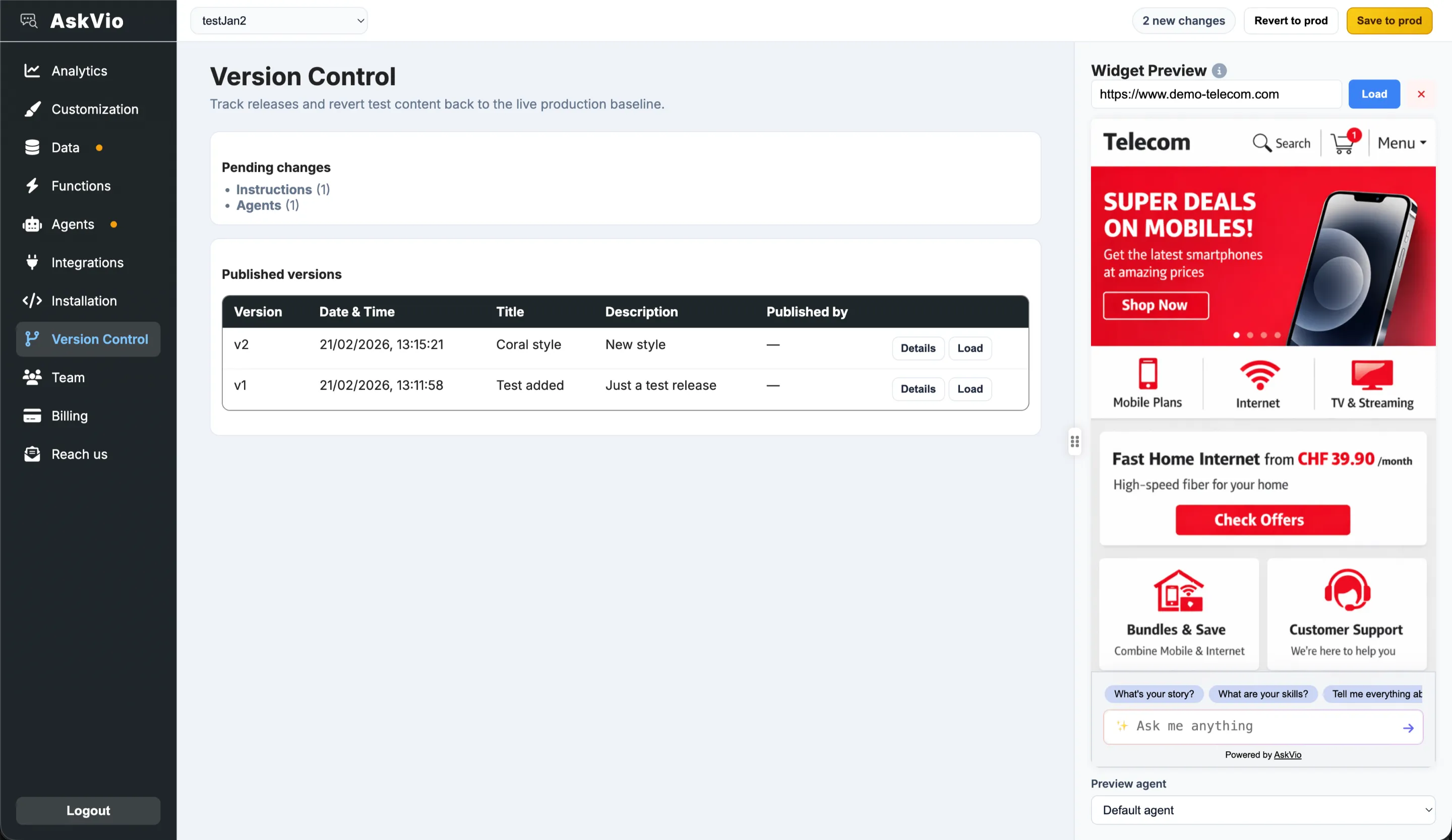
Version Control
Version Control separates TEST from PRODUCTION so your team can experiment safely, then publish intentionally. It is designed for controlled releases, quick rollback, and repeatable QA.
How the workflow is organized
- Pending changes: shows what differs between TEST and PRODUCTION right now.
- Save to prod: publishes your current TEST state to production as a new version.
- Revert to prod: discards TEST-only changes and syncs TEST back to live production.
- Published versions: immutable snapshots with version number, title, description, date, and publisher.
Version naming and release notes
When publishing, AskVio asks for a version title and optional description. Use this like a lightweight changelog (for example: “v12 – new legal crawler + trust level update”). This helps teams audit who changed what and why.
Load an old version into TEST
You can load a previously published version back into TEST. This is useful when:
- Reproducing a behavior reported by customers.
- Comparing old vs new prompts, crawler sets, or styling.
- Preparing a rollback candidate before re-publishing.
Loading a version does not immediately change production—it restores that snapshot to TEST so you can validate before publishing again.
Recommended release pattern
- Build and test changes in TEST.
- Check the pending-changes list for sanity.
- Publish with a clear title/description.
- If needed, load a prior version into TEST and publish it as a rollback.