
Every day, visitors come to your site looking for something specific: a size, a delivery date, a policy, a product you may not carry. Some of them type it into your search box or chat. Most of what they type never reaches anyone who can act on it. AskVio is built to catch it: it answers each visitor from your own content, records every question it couldn't answer, and tells you every Monday which gap is worth fixing first.
The problem AskVio solves
Your analytics show what happened. Pageviews, bounce rate, the path to checkout. They don't show what your customers wanted and didn't find. A shopper searches for "hand cream 250 ml", gets nothing useful, and leaves. In GA4 that is one more session that didn't convert. The reason is gone.
The closest thing most teams have is the zero-result report from their site search. It is a good start, and it is also where the signal stops: keywords without context, no way to tell a typo from a real gap, and nobody whose job it is to read it every week.
Chatbots don't fix this. They answer questions, and their analytics mostly count them: conversations, messages, resolution rate. The questions that went unanswered sit in a log nobody opens. We call that lost signal Silent Demand, and AskVio exists to make it visible.
What AskVio is, in practice
AskVio is an intent layer for your website. It has three parts:
It answers, honestly
One script tag adds an assistant that answers only from your pages, documents and catalog. When your content doesn't cover a question, it says so instead of inventing an answer.
It captures every miss
Each unanswered question is stored in the customer's own words, grouped with similar ones, and counted. Failed searches, unmet demand and frustration themes, week by week.
It tells you what to fix
The Monday Brief lands in your inbox with what customers asked for most, the costliest gap, and the one fix worth making first. No dashboard login needed.
How it works
1. Visitors ask, and get an answer from your content
Visitors ask in their own words, in their own language, and follow up the way they would with a well-informed member of your team. Every answer is grounded in what your site actually says, with sources.
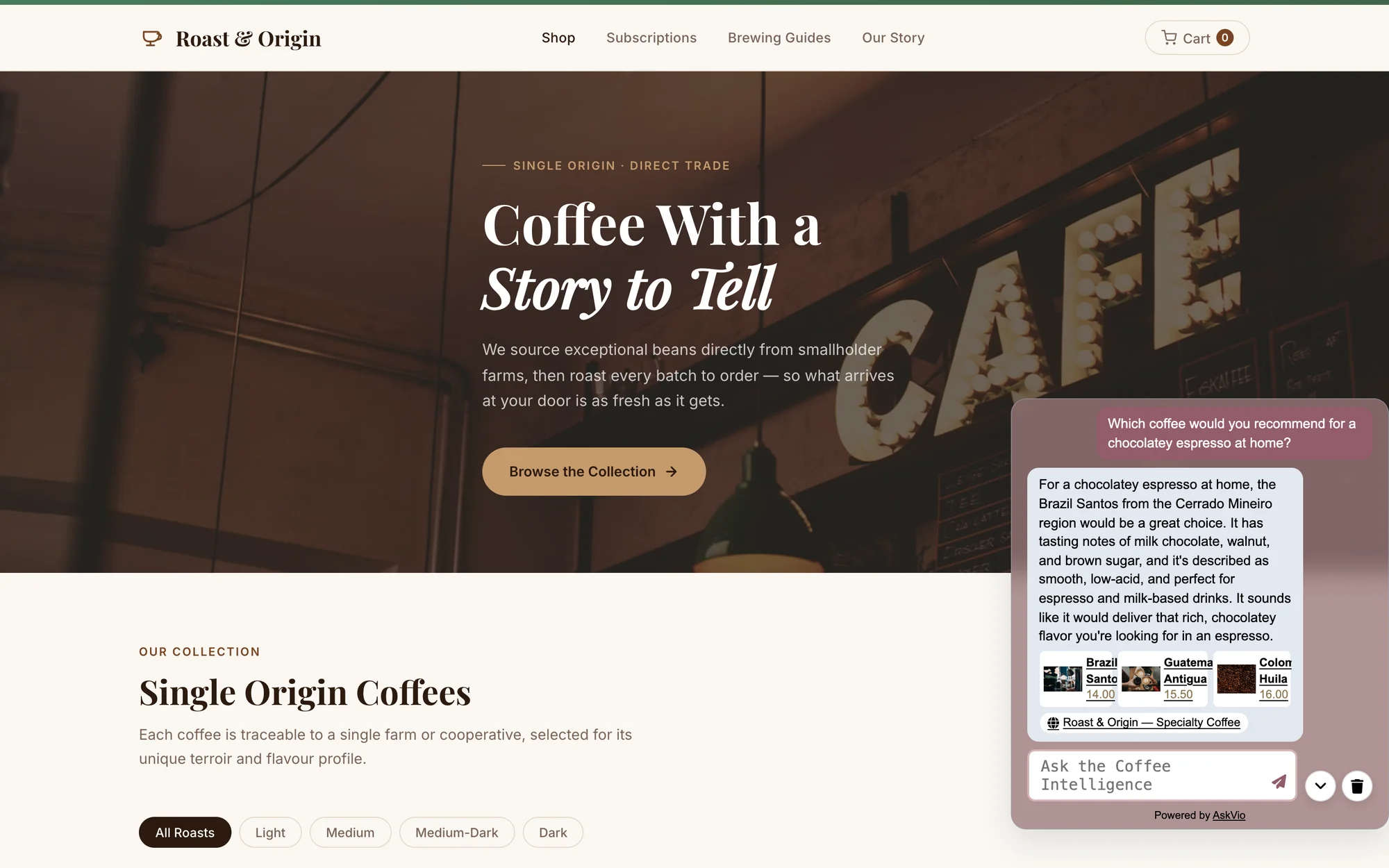
The assistant on a demo store: the answer comes from the shop's own catalog and policies.
2. Every miss becomes a ranked gap
The Intelligence dashboard turns questions into decisions. You see your Failed Intent Rate, the searches that came back empty, products customers asked for that your catalog doesn't carry, and topics that are trending up. Each gap shows how many people asked and how many distinct visitors were behind it, so you can tell one persistent shopper from real demand.
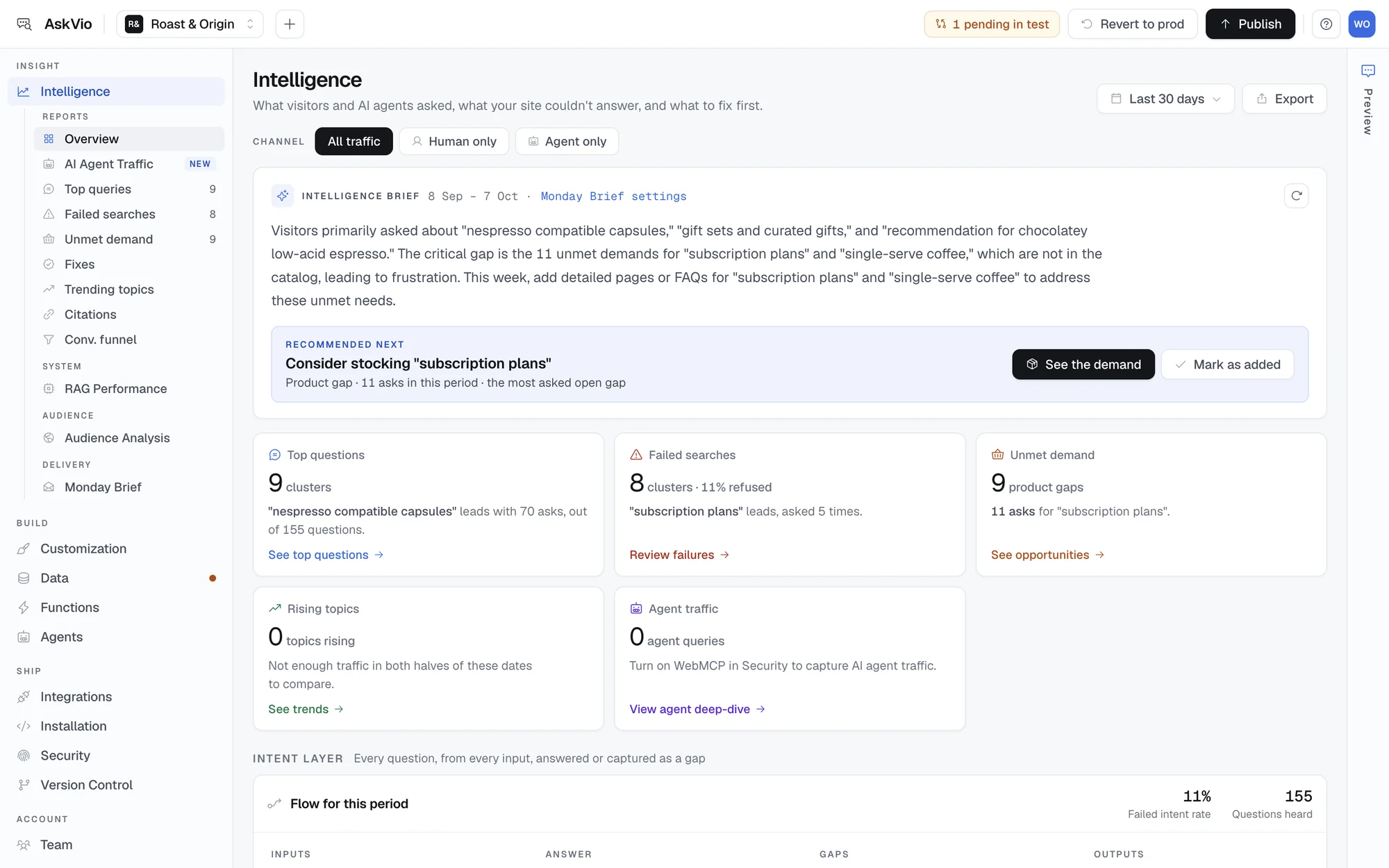
The Intelligence overview: what visitors asked, what failed, and what they wanted that you don't have yet.
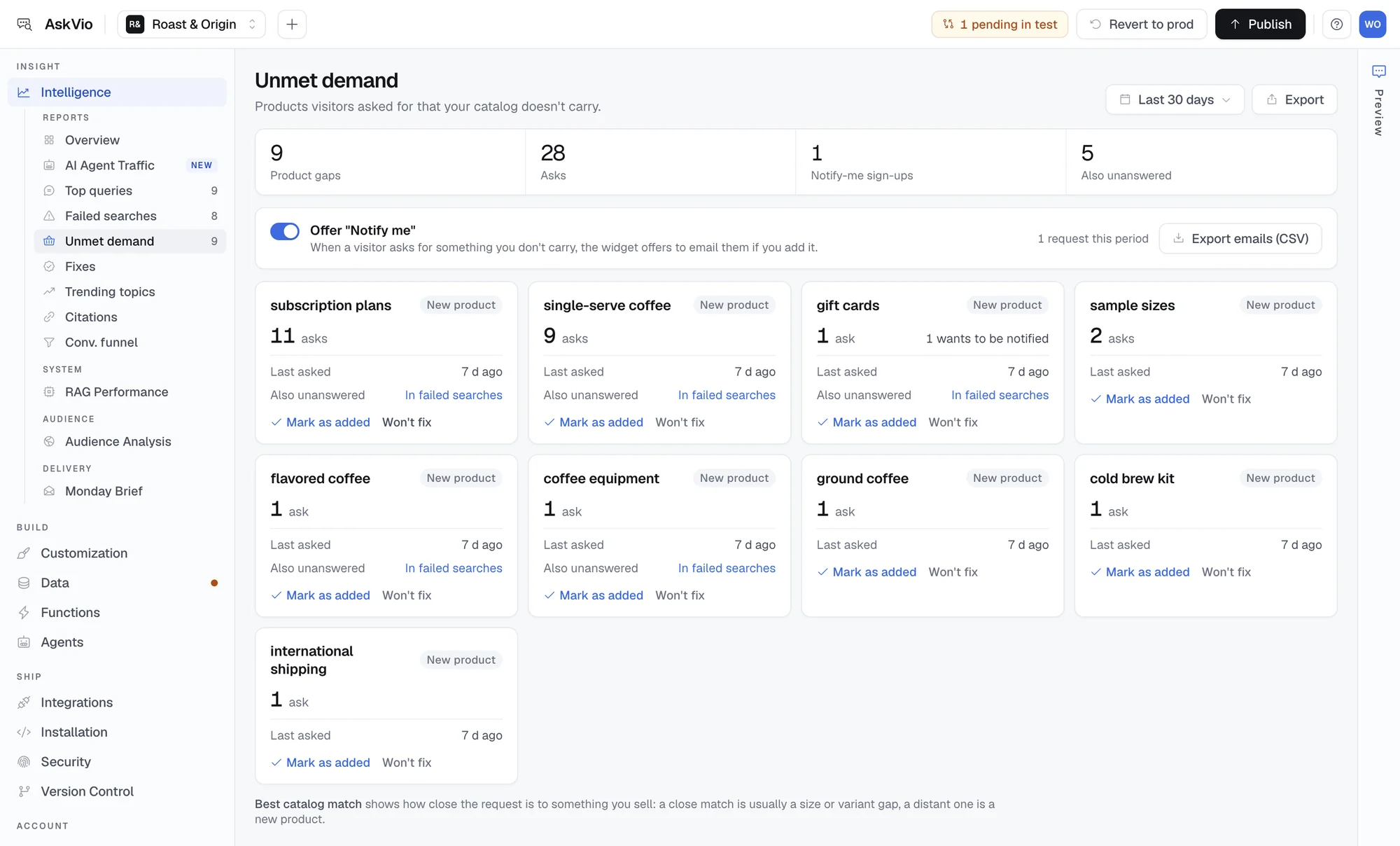
Unmet demand: products and options customers asked for, ranked by how often they came up.
3. The Monday Brief turns it into one decision
Dashboards get opened when someone remembers. The Monday Brief is a short email that arrives every week with the top gaps and one recommended action: write the missing page, add the product, or clarify the policy. Forward it to whoever owns the fix. On Business plans and above it also compares each gap with the previous week.
Every answer, refusal and gap is also sent to your GA4 property as a structured event, so your analyst can check every number against your own attribution.
Safe to go live
Nothing goes live until you publish it
Every change to content, instructions or styling is made in an isolated test environment first. When the assistant answers the way you want, you publish to production with one click. Every version is kept, so reverting takes seconds.
- Full version history, with one-click rollback
- Compare test and production before publishing
- Your team can work in test without touching what visitors see
Two ways to start
Already have a chatbot or site search? Send the export.
Your current tool already holds the questions customers asked and didn't get answered. Upload an export from Intercom, Zendesk, Chatbase, Tidio, Gorgias or your GA4 and Algolia search terms, and get the gaps back ranked, in the same format as the Monday Brief. No install, no account.
Or install AskVio and let it listen
Point AskVio at your sitemap, help docs and PDFs, set the tone and guardrails, test, and publish one script tag. It works on any platform. The free plan includes 100 AI queries a month and the full Intelligence dashboard.
Who AskVio is built for
AskVio works on any website with visitors who ask questions, and it pays off fastest for:
- Heads of ecommerce and merchandisers: a weekly, ranked list of products, sizes and options shoppers wanted and couldn't find
- Digital analysts: intent events in your own GA4, so questions sit next to sessions and conversions
- Content and support teams: the exact wording of the questions your pages don't answer yet
- Agencies: the Agency plan manages up to 15 client sites from one dashboard, each with its own gaps and brief
Find out what your customers couldn't find
Run a free Silent Demand Audit: send an export from your chat or site search and get the top gaps ranked, with the one fix worth making first.